

DRAFT
TM 5-4210-249-13&P-2
0173
MALFUNCTION
TEST OR INSPECTION
CORRECTIVE ACTION
TFFT04667
Step 23.
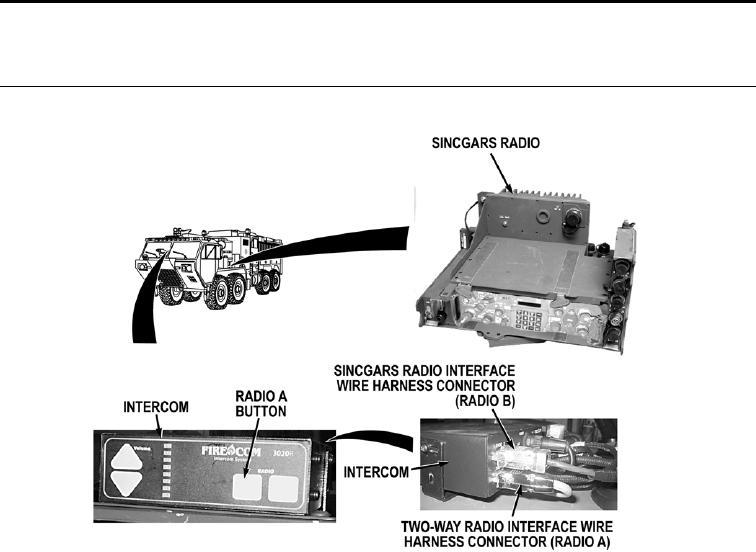
Turn battery disconnect switch to OFF position (WP 0007). Remove four screws and lift
intercom away from intercom bracket (WP 0395). Disconnect SINCGARS interface
wire harness connector from intercom RADIO B connector (WP 0462). Disconnect
two-way radio interface wire harness connector from intercom RADIO A connector
(WP 0462). Connect SINCGARS radio interface wire harness connector on intercom
RADIO A connector. Turn battery disconnect switch to ON position (WP 0007). Press
intercom RADIO A button (WP 0004). While an assistant operates SINCGARS radio,
check if SINGARS radio communications can be heard through headset earphones.
If SINCGARS radio communications can be heard through headset
earphones, replace intercom (WP 0395).
0173-14