

DRAFT
TM 5-4210-249-13&P-2
0145
TFFT04492
NOTE
Bring activated pressure governor to idle before activating opposite pressure governor.
Step 1.
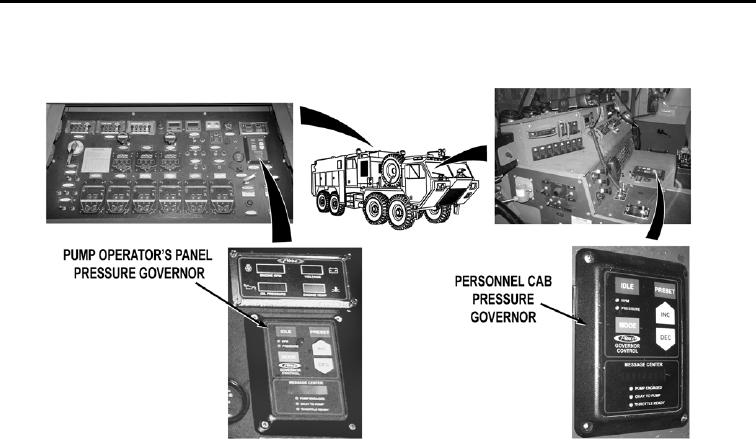
Start water pump engine (WP 0022). While an assistant operates pump operator's
panel pressure governor in PRESSURE mode then pushes PRESET switch
(WP 0024), push pump operator's panel pressure governor IDLE switch (WP 0004).
Check if personnel cab pressure governor operates in RPM or PRESSURE mode
(WP 0024).
If personnel cab pressure governor does not operate in RPM or
PRESSURE mode, go to Step 6.
Step 2.
While an assistant operates personnel cab pressure governor in PRESSURE mode
then pushes PRESET switch (WP 0024), push personnel cab pressure governor IDLE
switch (WP 0004). Check if pump operator's panel pressure governor operates in RPM
or PRESSURE mode (WP 0024).
If pump operator's panel pressure governor operates in RPM or
PRESSURE mode, go to Step 4.
Step 3.
Operate either pressure governor in RPM or PRESSURE mode (WP 0024). Bring
tested pressure governor to idle (WP 0004). While an assistant operates other
pressure governor in RPM or PRESSURE mode (WP 0024), then bring pressure
governor to idle. Operate other pressure governor, check if pressure governor
operates.
a.
If pressure governor switches, fault corrected.
b.
If pressure governor does not switch, replace dual governor switch
(WP 0386).
0145-2